


Applicable Scope
This guide applies to Gate NFT Web
Before you start: Ensure you have NFT assets in an external wallet that are supported by Gate NFT
Estimated time: 5 m
Objective
This guide will walk you through how to deposit your NFT assets into the Gate NFT platform for display and trading on Gate Web.
Steps
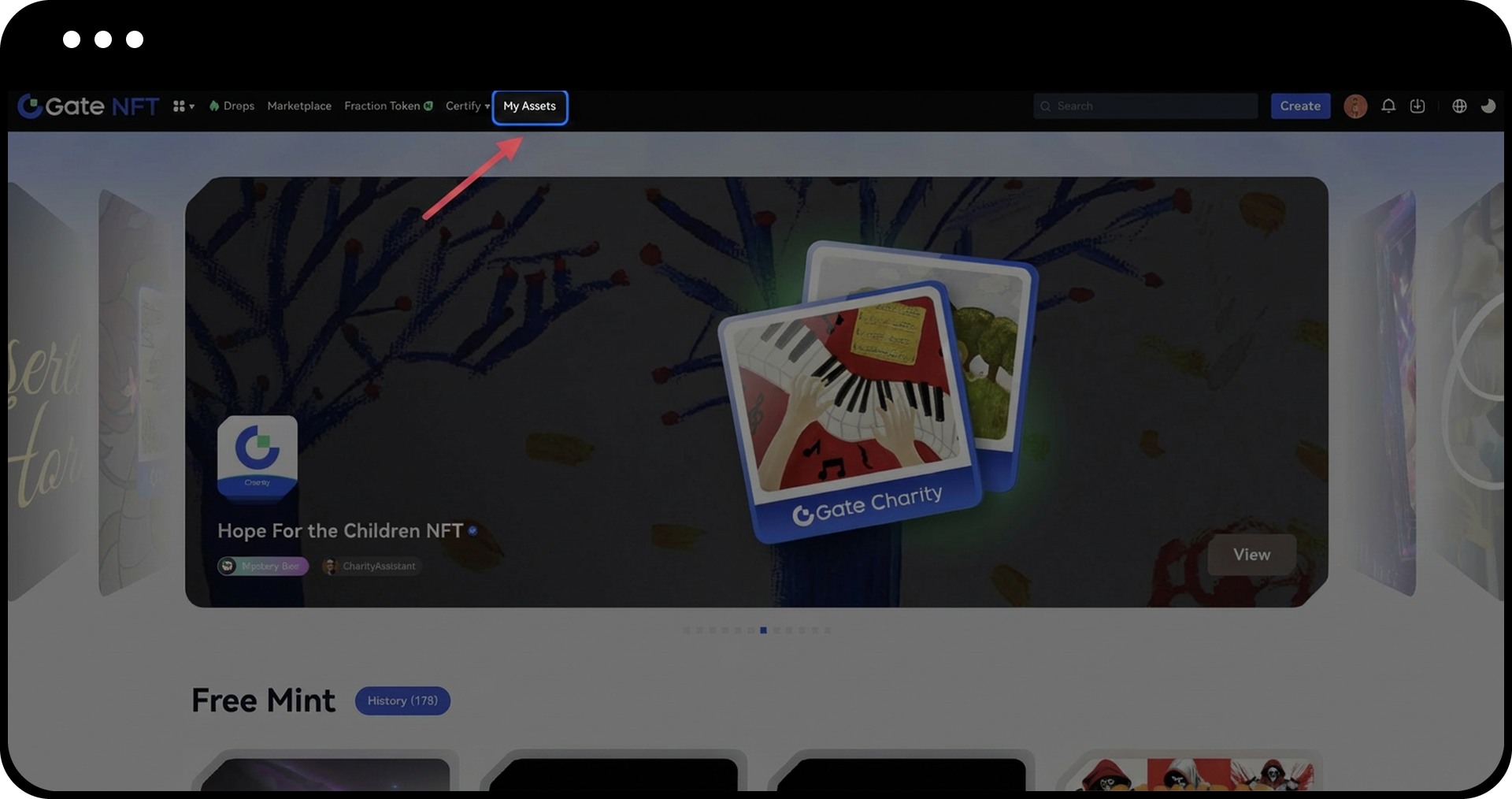
Step 1: Access Your Assets Page
Navigate to the Gate NFT homepage and click "My Assets".
Step 2: Initiate NFT Deposit
On the "My Assets" page, click the "Deposit" button.
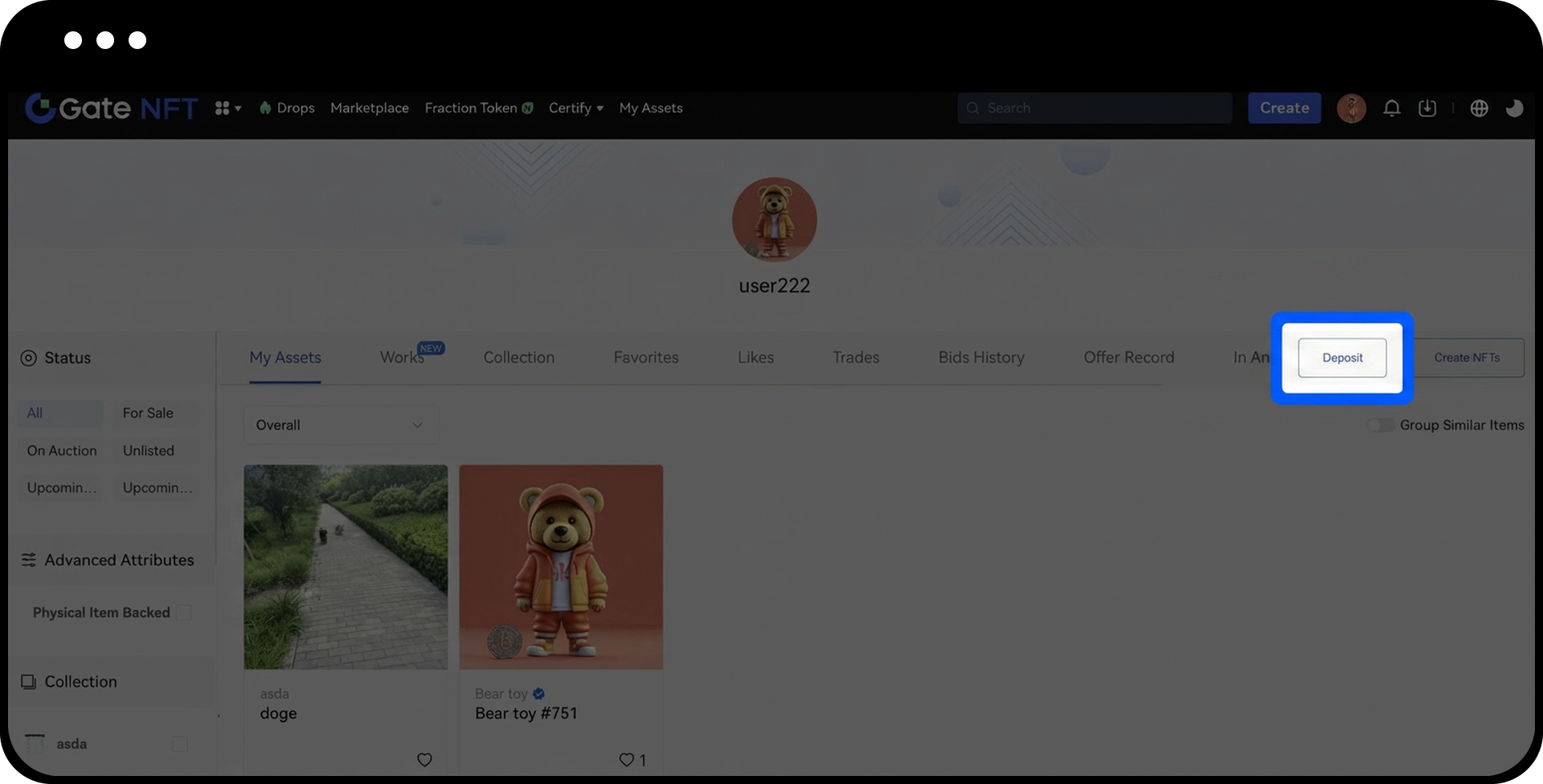
Step 3: Select NFT Type and Complete Deposit
- In the pop-up window, select the NFT asset type you intend to deposit from the "Type" drop-down menu.
- Choose one of the following deposit methods:
- Scan the QR code with your wallet app, or
- Copy the deposit address and paste it into your external wallet to complete the transfer.
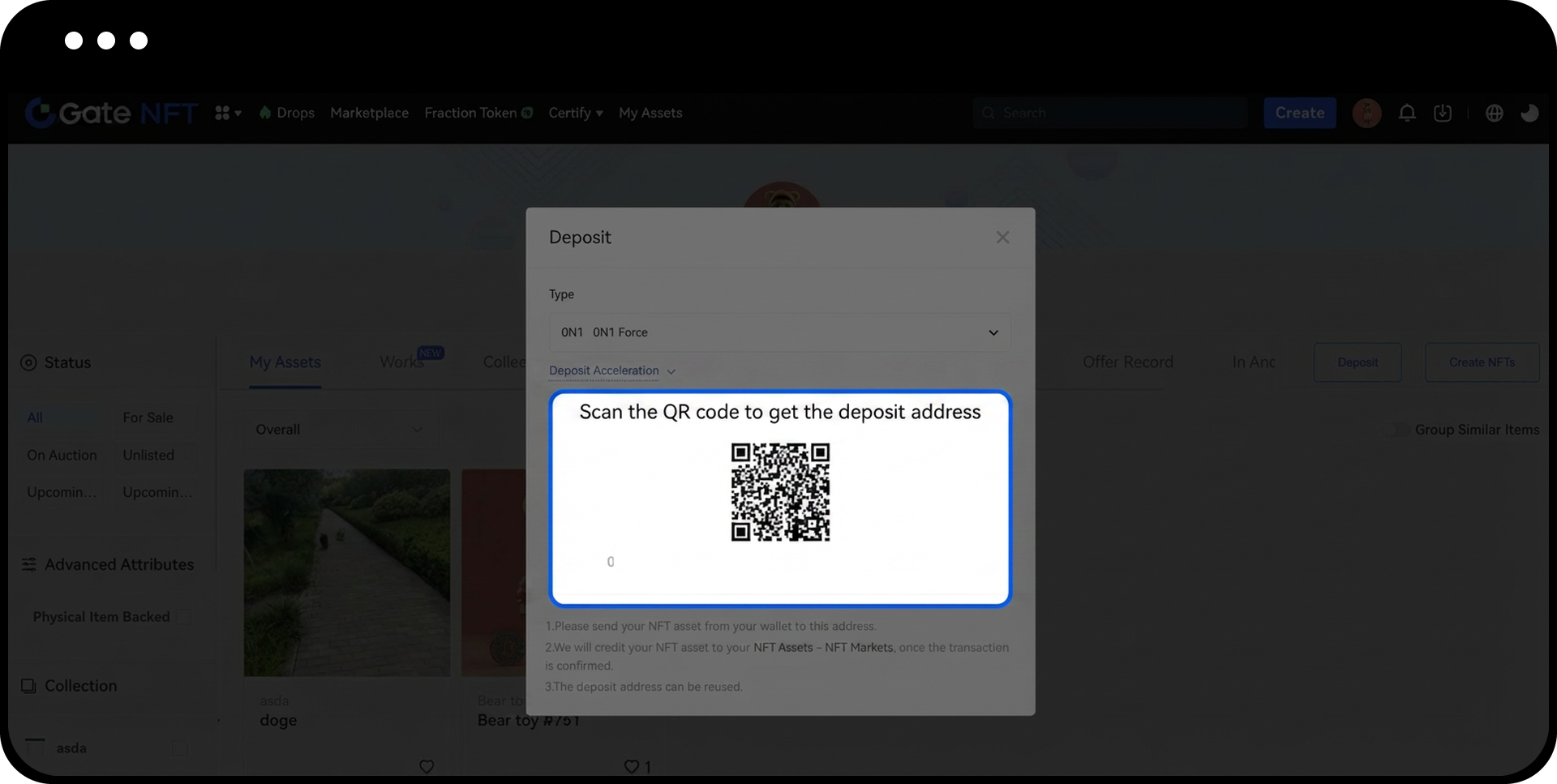
- (Optional) To accelerate your NFT deposit, click the "Deposit Acceleration" button and:
- Select the NFT asset being deposited
- Enter the transaction hash (Txid) of your deposit transaction
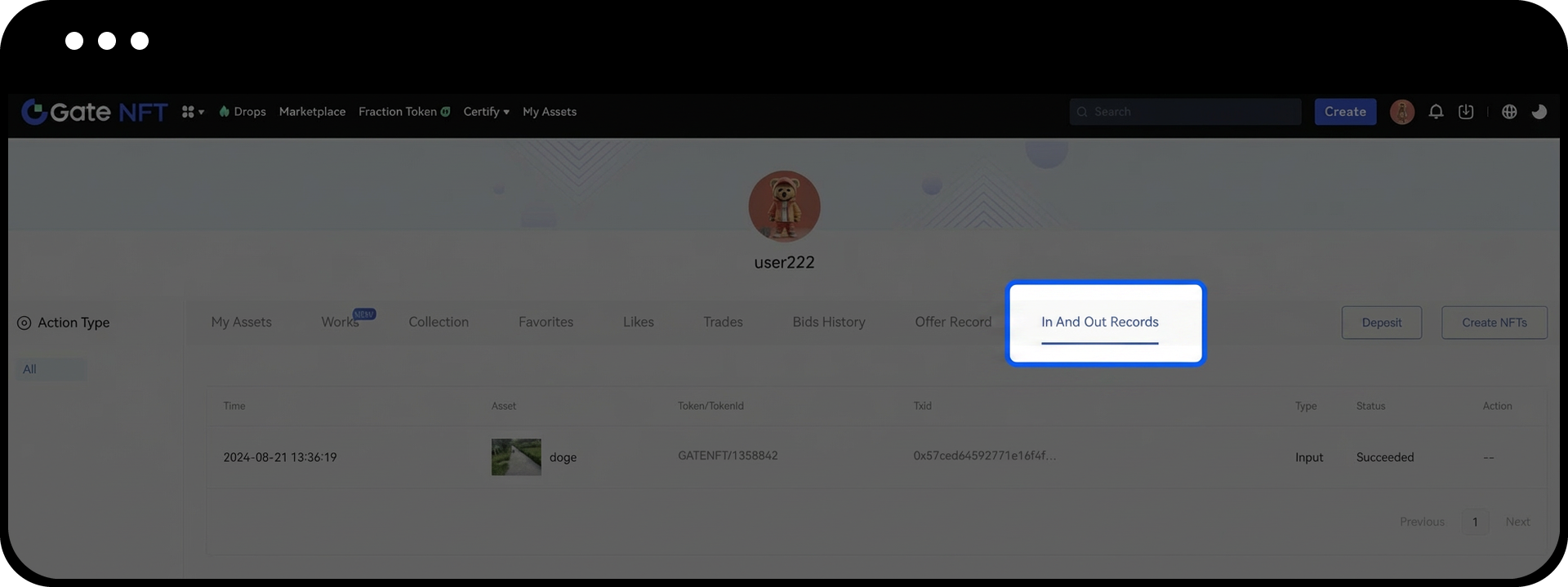
Step 4: Verify Deposit Completion
- The system will automatically confirm your deposit after the blockchain transaction is completed.
- Check your deposit record by navigating to "In and Out Records" on the "My Assets" page.
Notes
- Gate NFT only supports certain external mainstream platforms and specific smart contracts. Verify the supported contract types before depositing to avoid asset loss.
- The receiving address for NFT deposits is not the same as your spot wallet address. Always double-check the deposit address before transferring.
- Incorrectly deposited assets may be unrecoverable. Ensure you select the correct network and contract address.
- Keep your private keys and wallet credentials secure, as NFT assets cannot be recovered if access is lost.
- NFT transactions are final and cannot be reversed once completed.
FAQ
Q1: What should I do if my NFT deposit doesn't appear after several hours?
A: First, verify that your transaction has been confirmed on the blockchain using the transaction hash. If confirmed but still not visible, use the "Deposit Acceleration" feature by entering your transaction hash (Txid), or contact customer support for assistance.
Q2: Can I deposit NFTs from any blockchain network?
A: No, Gate NFT only supports specific mainstream platforms and contract types. Check the supported networks and contracts in the "Type" drop-down menu before initiating a deposit.
Q3: What happens if I send NFTs to the wrong address?
A: Assets sent to an incorrect or unsupported address may be permanently lost and cannot be retrieved. Always verify the deposit address and supported contract types before completing your transfer.
Q4: How long does it typically take for an NFT deposit to be confirmed?
A: Deposit confirmation time depends on the blockchain network's congestion and the transaction fee paid. Typically, confirmations can take anywhere from a few minutes to several hours. You can use the "Deposit Acceleration" feature to potentially speed up the process.
Disclaimer
The content provided herein is for reference and educational purposes only and does not constitute any financial, investment, trading, or legal advice, nor does it constitute an offer or solicitation to buy or sell any digital assets. Gate makes no express or implied representations or warranties regarding the accuracy, completeness, or timeliness of the information contained herein. Product features, interfaces, rules, and fee structures may be updated or adjusted at any time. Please refer to the latest announcements and the actual information displayed on the Gate platform for the most accurate details.
Digital asset investments involve significant risk, and prices may fluctuate substantially. You may lose the entire amount of your investment. Please make decisions cautiously based on your own financial situation and risk tolerance after fully understanding the associated risks. If necessary, you are advised to consult an independent professional financial or legal advisor.
For more information about potential risks, please refer to Gate's Risk Disclosure and User Agreement.
